



Use the full potential for address validation with our Shopware plugin
Our module validates and corrects your customers' master data in real time. This means you always receive verified and correct customer data - fully automatically.
THESE CUSTOMERS TRUST US








See what our module can do!
endereco services offer a wide range of functions and support you in all aspects of master data.
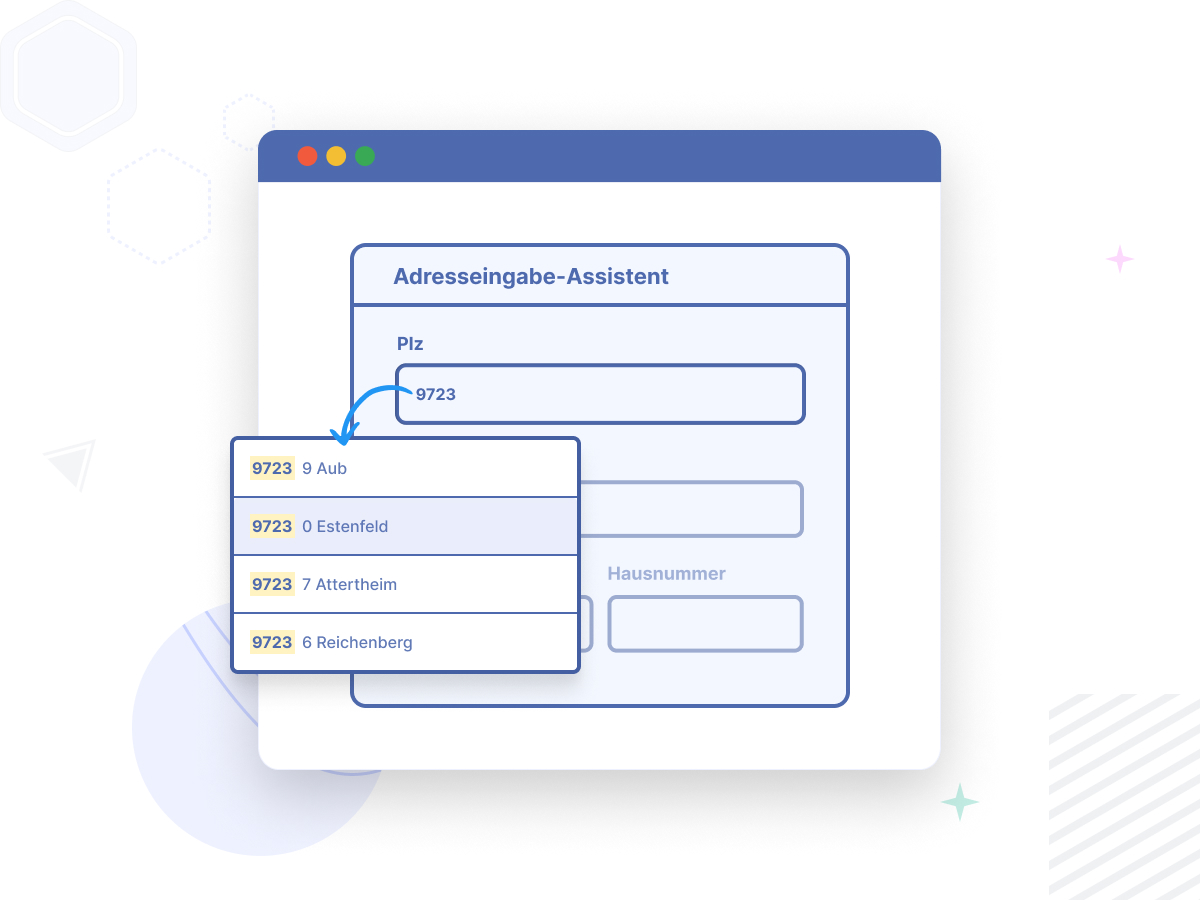
Address entry wizard
Our input wizard supports address entry with automatically displayed suggestion lists. This allows your customers to enter addresses quickly and error-free, anywhere in the world! On smartphones, tablets and PCs.
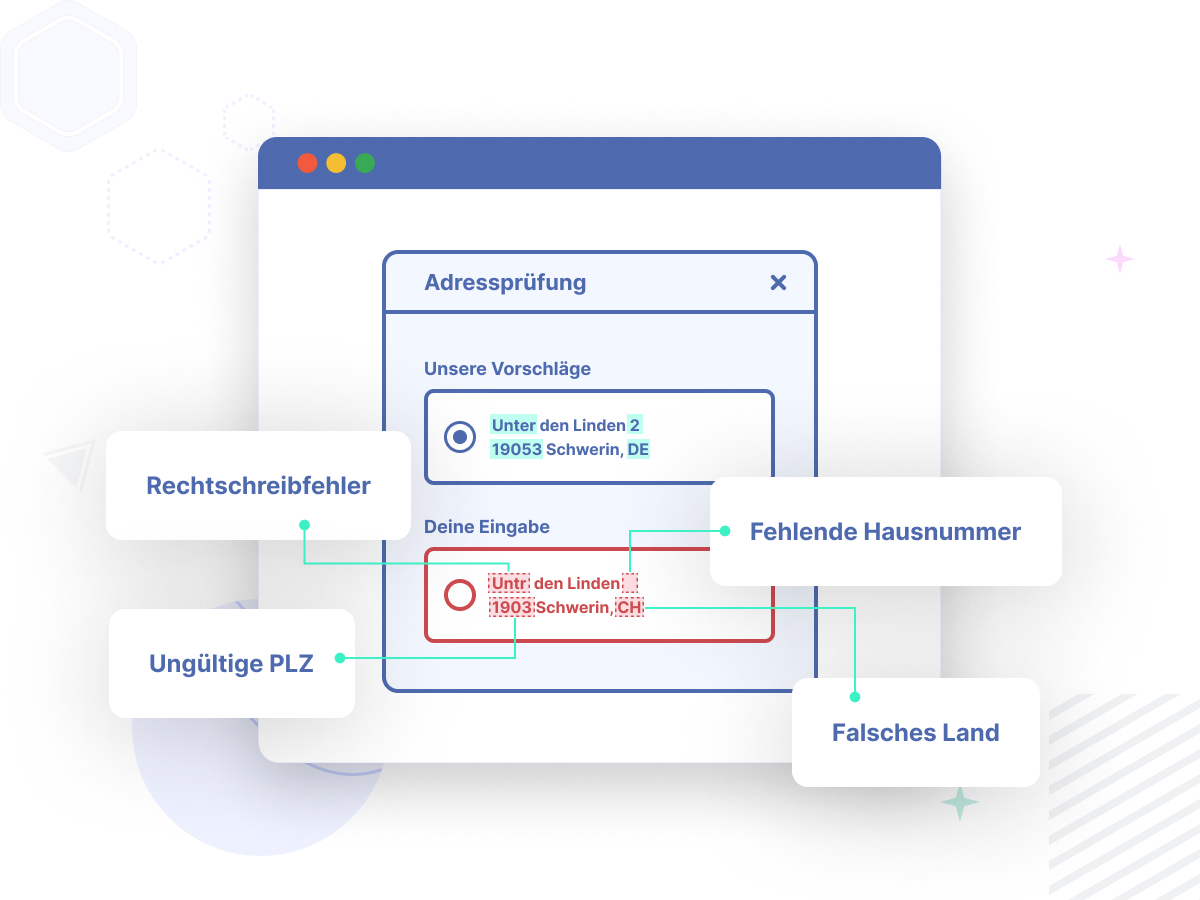
Address validation
Our address check corrects the addresses entered and suggests the correct spelling. Your customers can choose between suitable suggestions and register more quickly in the store. This means you always have correct and verified customer data.
Verification of existing customers
This function is used to check and update all your existing customer data once. You have correct customer data available for your planning.
No more forgotten house numbers
Our module can optionally split the field "Street" and "House number" of your customers into 2 separate fields. This makes the house number field mandatory for the entry. Nothing changes for retailers. The storage in the backend of the store remains unchanged. Furthermore, the module recognizes missing house numbers and reports this information directly back to your customer. Your customer can make the correction immediately.
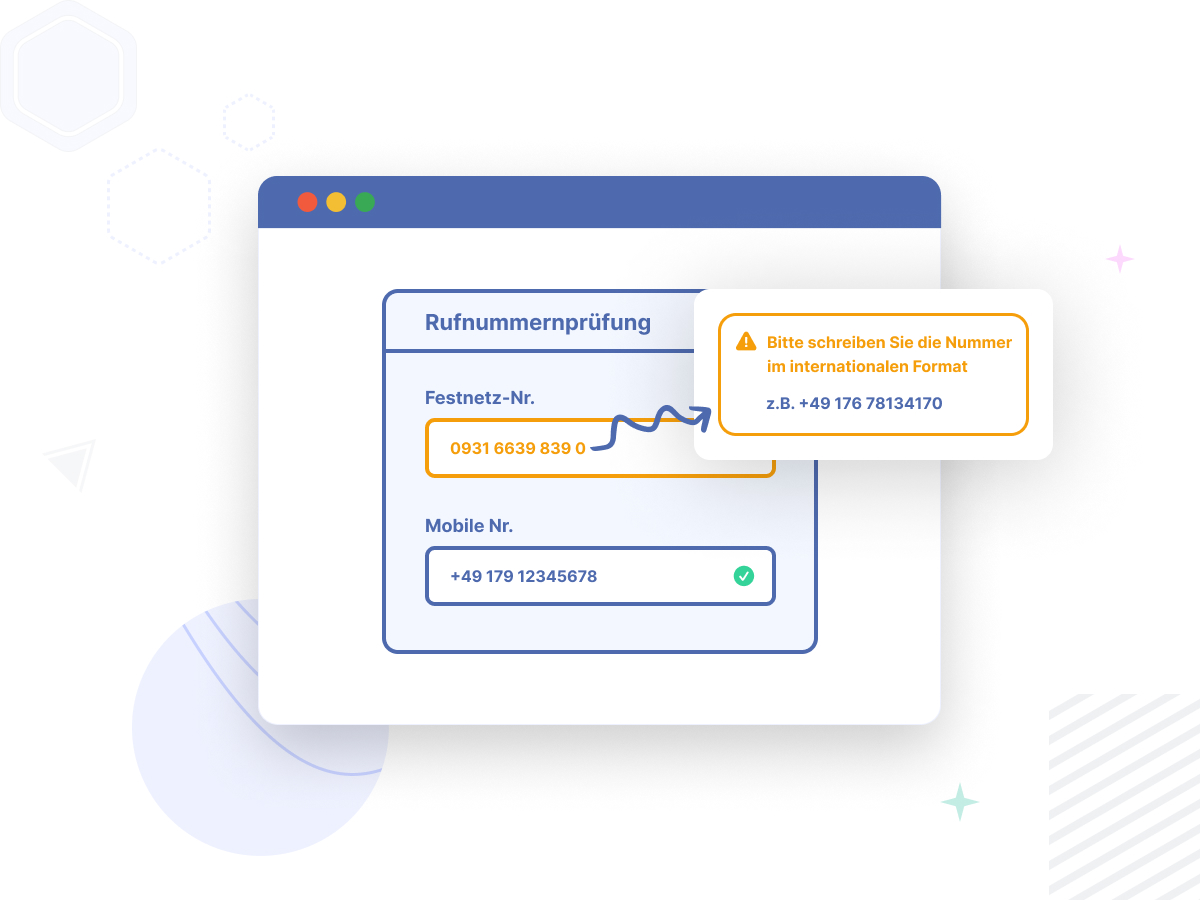
Phone number check
Checking telephone numbers automatically solves many problems when entering telephone numbers. Recognition of landline and mobile numbers, standardization of spelling, checking availability and validity.
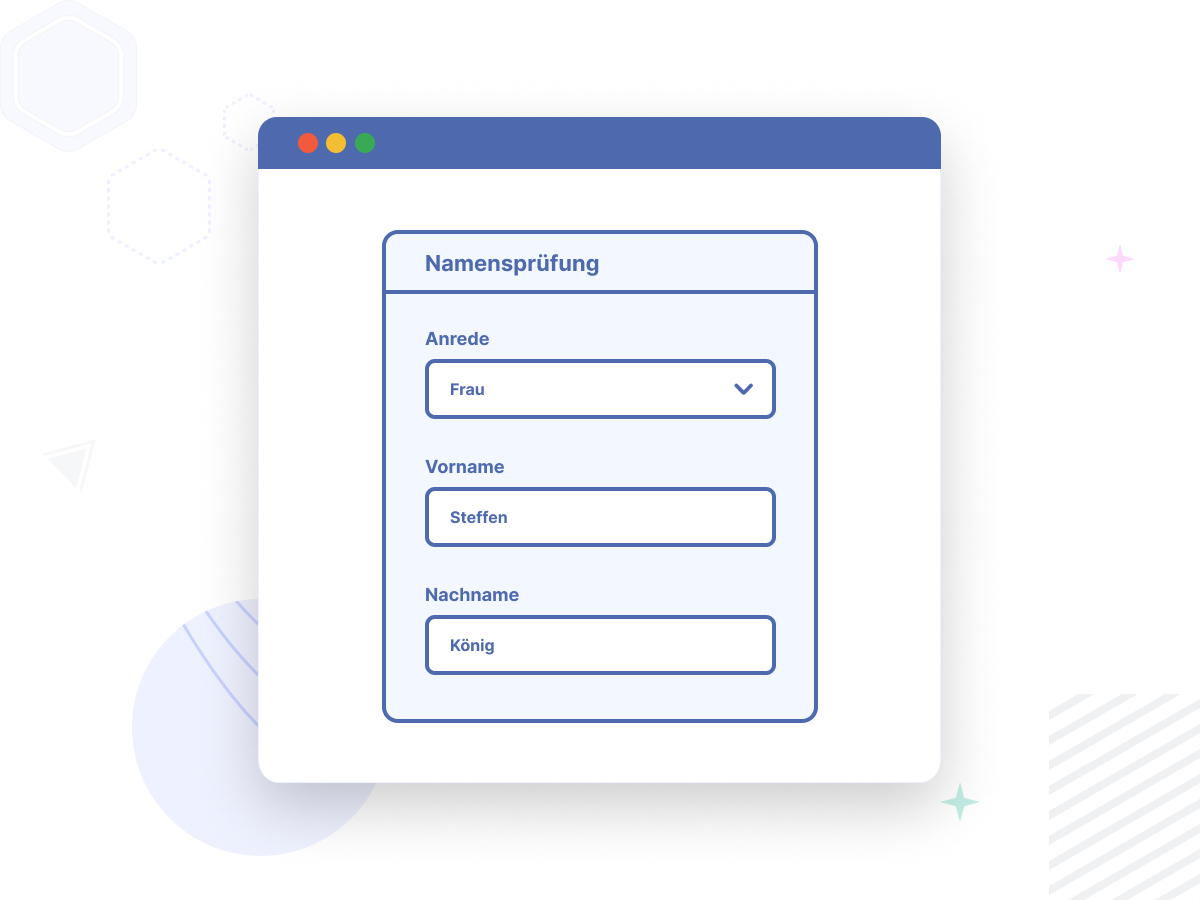
Salutation and first name check
Does the first name match the form of address? If an incorrect gender is clearly selected, we inform the user of this. To do this, endereco compares the first name entered with a database of over 30,000 entries. Here, clear relationships between name and gender are stored.
Email address verification
With the e-mail check, we check every e-mail address for syntax errors and verify the deliverability of the mailbox. This service prevents typing errors and the resulting problems in communication with your customers.
PayPal Express Check
Delivery addresses for PayPal purchases are often incorrect. With the new function, merchants can now also validate customer orders via PayPal Express, separate the "Street" and "House number" fields or automatically determine the salutation for a person.
Amazon Pay verification (under development)
Amazon Pay orders import the address data stored by Amazon into the store system when the order is placed. Here, too, correct address data is often not stored, especially when it comes to company addresses and private customer addresses, which are stored in a wide variety of fields.
7 reasons to use our module in your Shopware store
Our plug & play solution is specially designed for Shopware This means that your customers' data is standardized and checked as soon as it is entered.
- Clean master data eliminates your duplicates - for a 360-degree view of your customers
- Fewer incorrect entries in customer addresses thanks to automatic address correction
- Lower costs due to fewer chargeable routing codes at DHL
- Address checks act as a deterrent to online fraudsters
- Verified email addresses mean no more miscommunications with your customers
- Less returned packages due to less wrong addresses
- Increased conversion rate through accelerated address entry
You can get started with just four simple steps!
Don't waste time and start right away with your free trial!
Download module
Download the endereco module for your Shopware store for free. It is available as an open GitHub repository.
Request API key
Fill out our form. Shortly after submitting, you will receive the access data by e-mail.
Test free of charge
After the installation you can simply store the API key in the module backend. Configure the endereco module according to your wishes!

View statistics and decide
After 30 days, you will receive your trial statement and statistics at the end of the month. Based on this, you can easily decide whether you want to continue using our service. You can use our services without a contract term or minimum turnover for as long as you like.
Welcome aboard!
FAQ
The most frequently asked questions and answers
Shopware
Is the endereco plugin compatible with the „Packstation“ plugin from Repertus?
Yes, it is - with a small adjustment. Simply deactivate the setting „Divide street into street name and house number“ in the backend of the endereco plugin. Then you can use both plugins! For one of the next updates, it is planned that the plugins will be compatible even if the „Street“ and „House number“ fields are separated.
OR you can use the endereco packing station check directly! Then you have all functions in one plugin.
What the endereco packing station check offers:
- Address suggestions for zip code and town and the DHL packing stations available in the vicinity
- Correction of incorrect entries for Packstation or post office numbers
- Checking the validity of the postal number
Can I view my statistics via a customer account?
Currently, the monthly statistics can be sent by request or accessed via API. A dashboard is still being worked on.
Can I also use the endereco plugin for Shopware 6 in "OnePageCheckout" from Premsoft?
Yes, by default the endereco code is only loaded on the necessary pages to save performance and loading time. The OnePageCheckout only needs to be added to the controller whitelist. This is easily done in the endereco module developer settings.
Shopware 6.5.x: Simply add the controller name "OnePageCheckout" here. The endereco address check should then also be loaded on this page.
As of Shopware 6.6.x: Simply add the controller name "onepagecheckout" here (all lower case). The endereco address check should then also be loaded on this page.
What functions does the Shopware 6 module offer?
Currently, checks are offered for name, e-mail address, telephone number and address. Furthermore, existing customers can be validated once. PayPal Express orders can also be validated. Additionally, street and house number can be split into 2 fields on the frontend. This does not change the fact that Shopware stores the data together in the "street"-field.