


Thank you for your interest in our app for Shopify! We are delighted to finally be able to offer our address validation services on this constantly growing platform. Shopify does things differently and makes life much easier for you as an online retailer.
Here is an overview of the most important information:
- Direct registration of your Shopify Merchant Account with endereco - within the APP
- No manual API key entry necessary - everything happens automatically in the background
- Real-time statistics on running costs within the APP
- Billing directly via Shopify
- You can book and customize your packages directly in the app
There are currently 2 services available:
- For all Shopify customers: Address validation and correction suggestions on the „Thank You“ page
- Corrects small address errors fully automatically
- Creates address suggestions for the store customer to choose from
- Detects missing or incorrect house numbers
- Recognizes Packstations and post offices in Germany
- Recognizes missing or invalid DHL post numbers
- For Shopify Plus customers additionally:
- Address error autocompletion in your input forms - directly from endereco, not from Google
Let's get started with the installation #
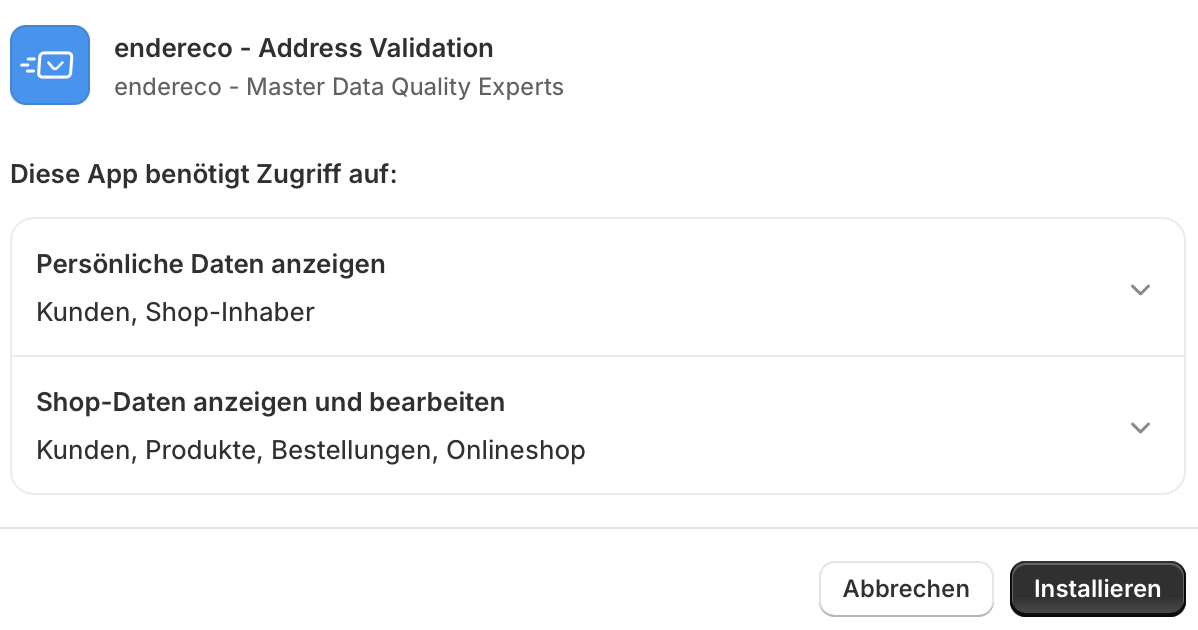
Download the app via the Shopify App Store and install it in your webshop.
We require access to the following data: #
- Orders - for billing based on incoming orders for which your customers can use the endereco services
- Store owner data - to create your account at endereco, an approval process by our team in the background and support options if required
Furnishings #
We have created a setup wizard for you to go through everything you need in just a few simple steps.
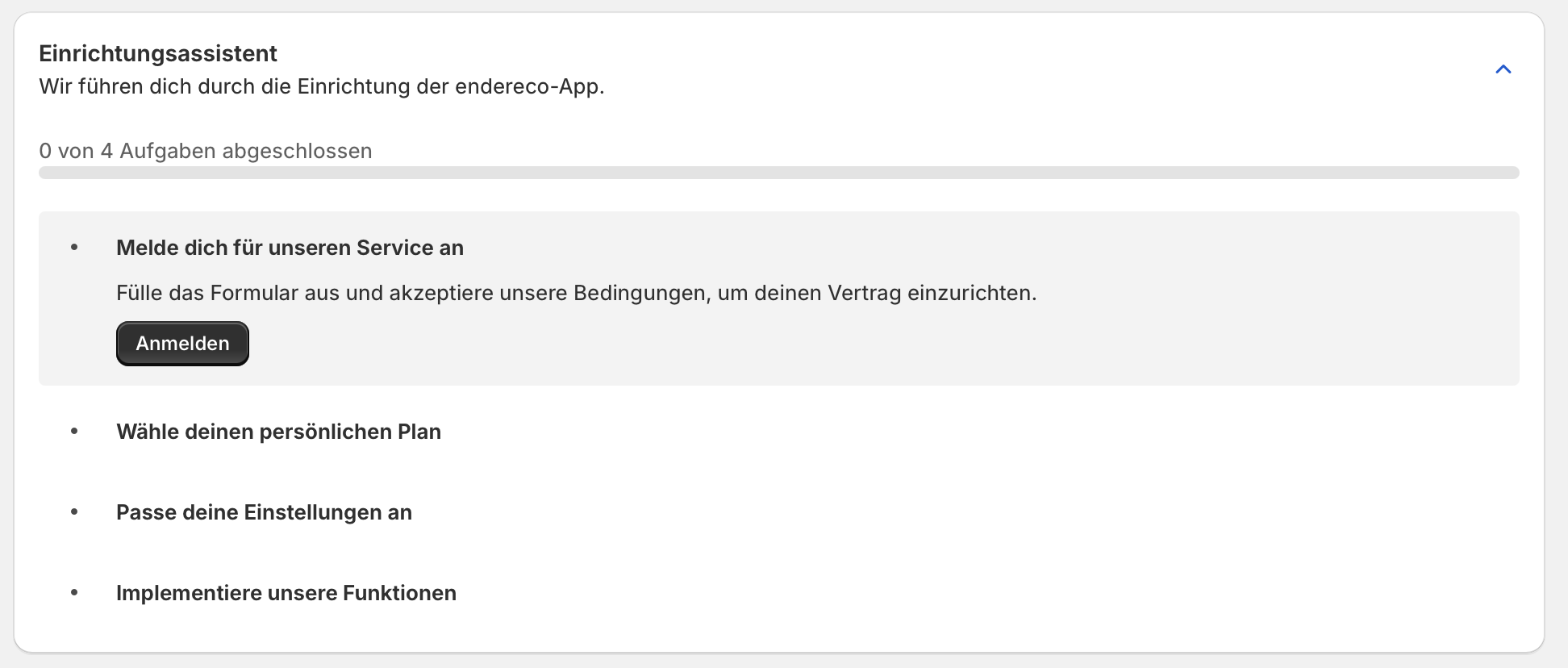
Step 1: Registration #
The first step is to connect your webshop to endereco and provide us with the master data for customer creation.
We have the possibility to access your store master data and pre-fill the form. Please check and correct the data if necessary.
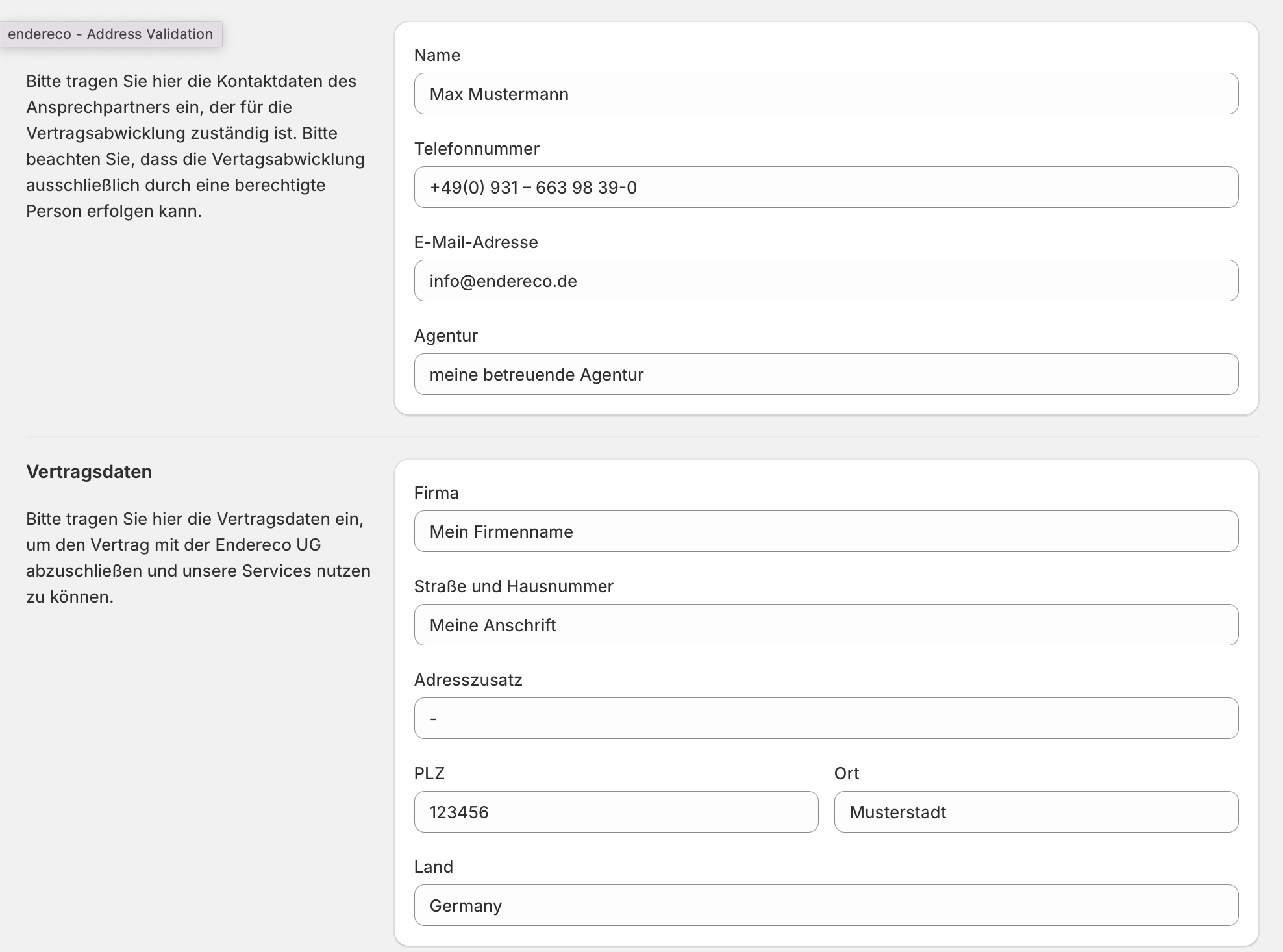
You must also agree to our terms and conditions (GTC + data protection provisions).
As we process your customers' personal data, you should enter into an agreement with us. Agreement on commissioned data processing conclude the agreement. You can conveniently sign the agreement digitally online. As soon as both parties have signed it, a signed copy will be sent by email to both parties for documentation purposes.
Step 2: Select tariff #
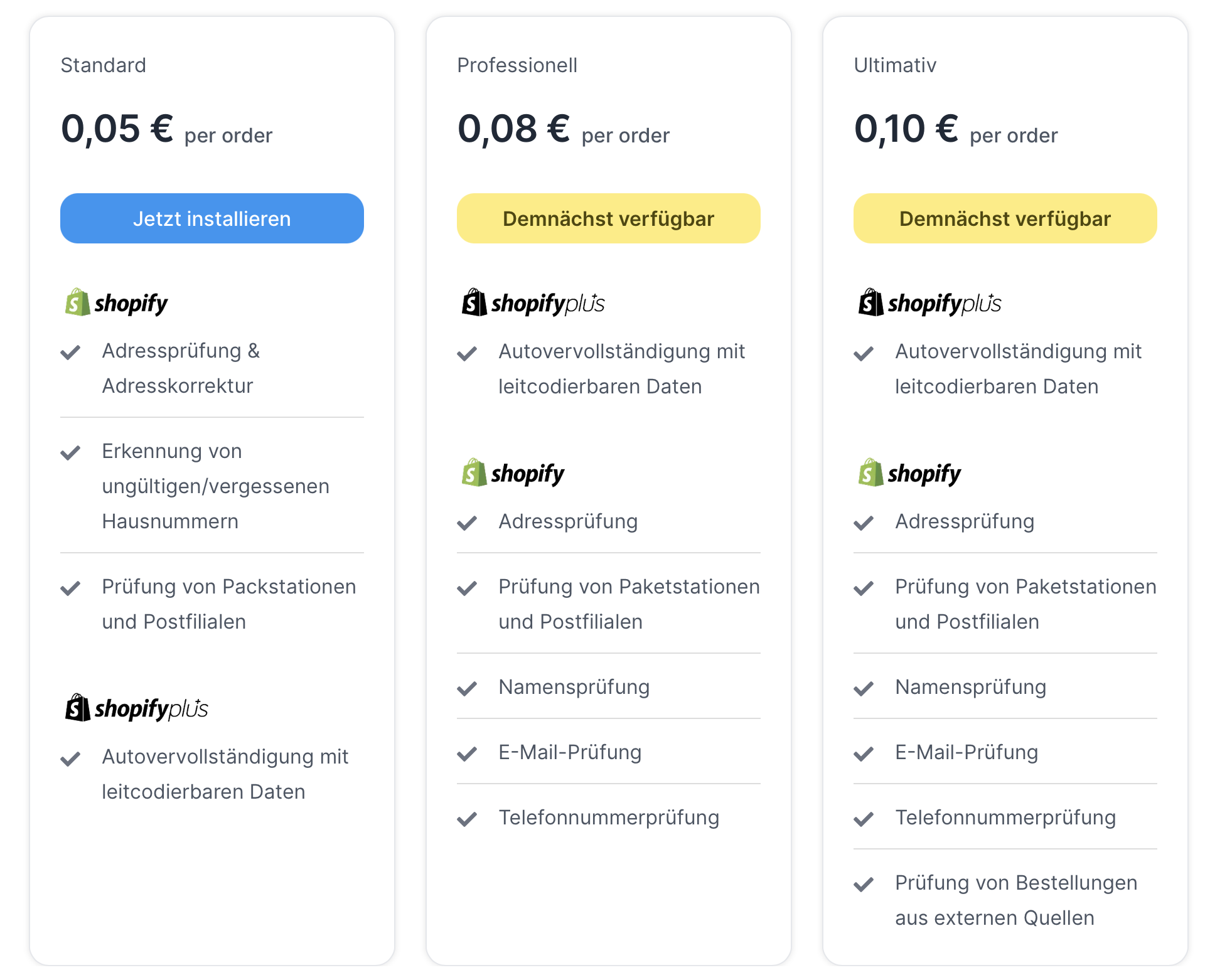
All endereco customers receive a one-off 30-day free trial period from us. This allows you to try out the app without any risk or contract commitment. The test phase is limited to 5,000 orders within 30 days. However, you can change your tariff at any time within the 30 days if your limit has been reached.
We start with the „Address entry assistant“ function, which provides correct postal address suggestions based on the national postal companies of the respective countries. For example, this is DHL for Germany, Post.at for Austria and Post.ch for Switzerland, etc. We do this for over 200 countries worldwide.
An overview of our country coverage can be found on our website.
Performance-based billing
Shopify will bill you in euros based on the actual use of our services per order.
This means that if a service is used during the checkout process and the order is completed, we charge a usage fee of € 0.05 for the use of the address verification on the „Thank You“ page and, if applicable, the endereco address entry wizard (Plus customers) in the address entry form.
You can try out our app free of charge for the first 30 days and use it without restrictions. After that, the subscription changes to a regular transaction-based tariff.
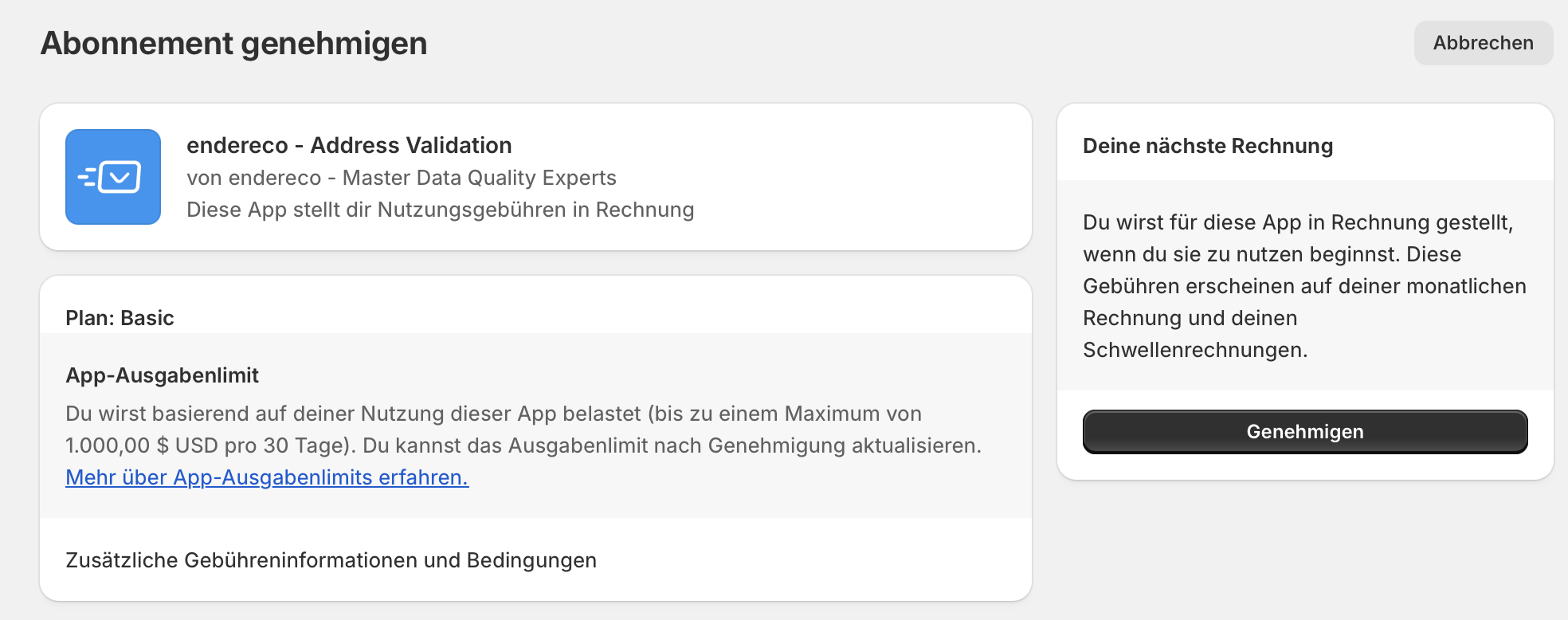
Confirm spending limit
You can set a maximum spending limit in your Shopify account so that you can keep an eye on your costs at all times. Simply confirm this limit to successfully book the plan.
Step 3: Activate functions #
Now it's time to configure the individual functions.
Address entry wizard - Only available for Shopify PLUS customers
Address validation - available for ALL Shopify customers
You can activate the address entry wizard and/or address verification in your Shopify store as the first function. This generally enables the function.
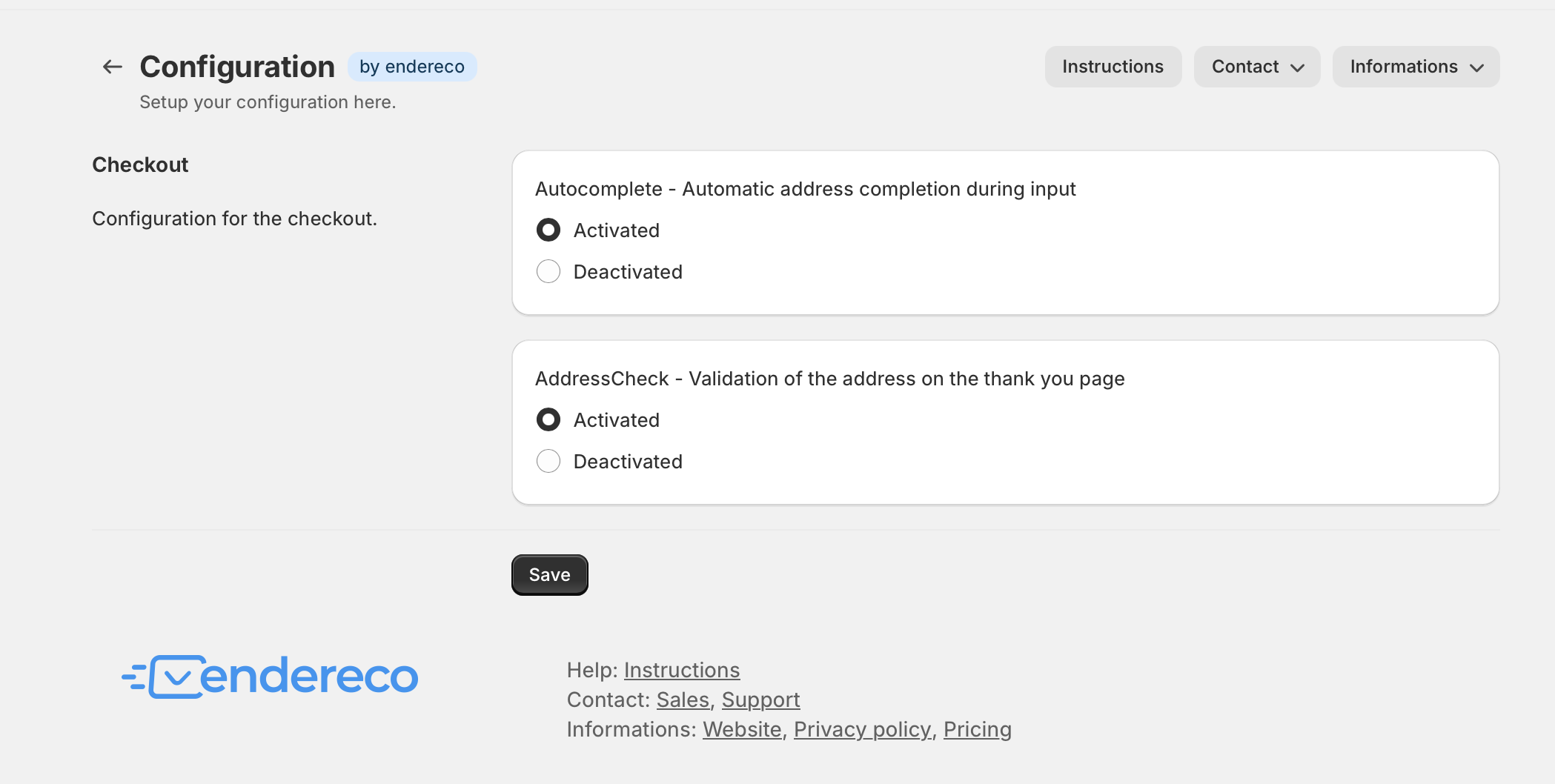
Check whether the function is activated for you so that it also works with the implementation in your checkout process and the elements can also be inserted in the next step.
Step 4: Customize the checkout process #
Now all you need to do is integrate the endereco functions into your checkout process.
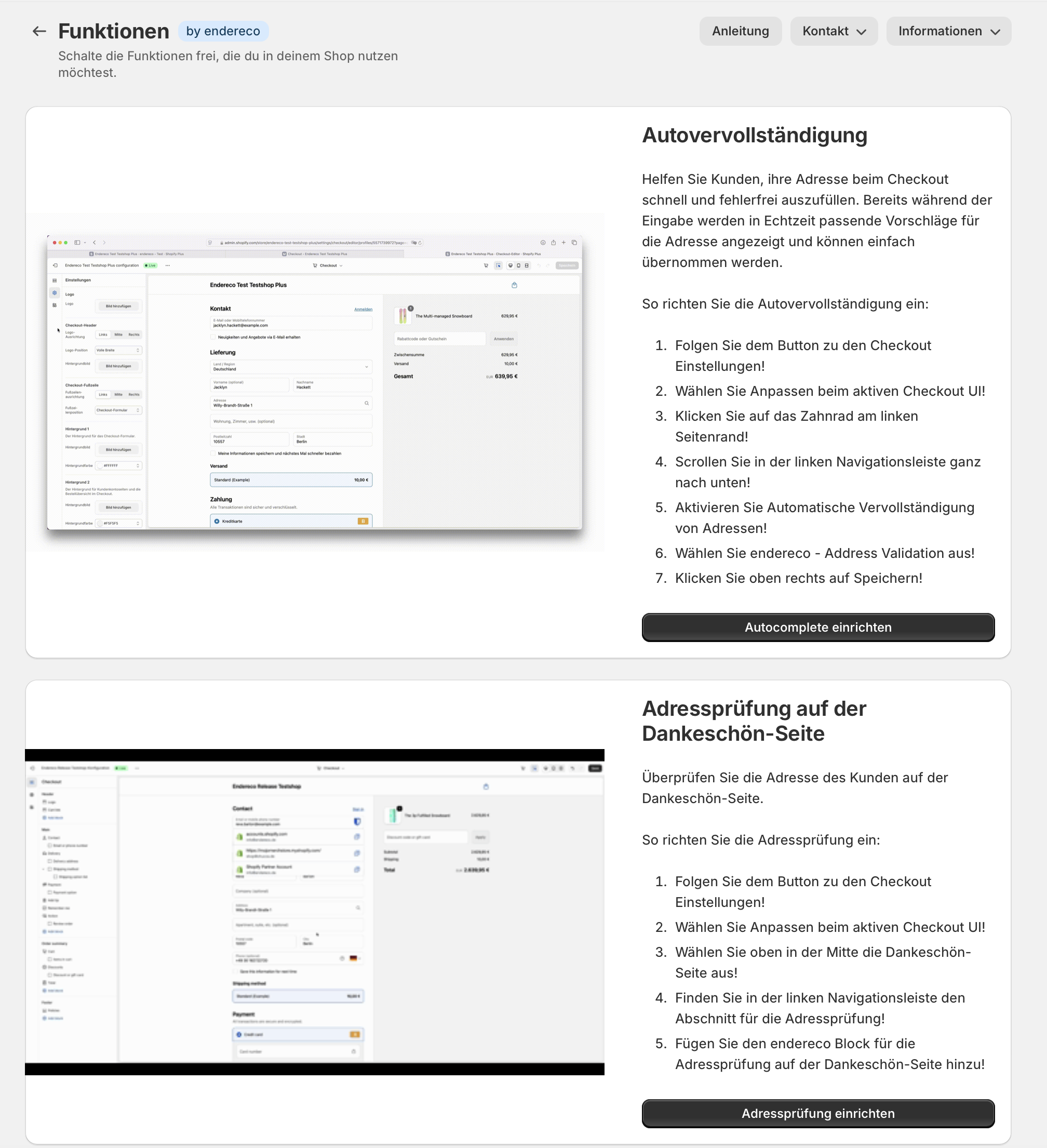
Function 1: Integration address check on the Thank-You page (for all Shopify customers)
Simply follow the steps below:
1. click on „Set up address verification“.
2. you should now land on the settings page with the option „Checkout“ - select the item „Customize“ there.
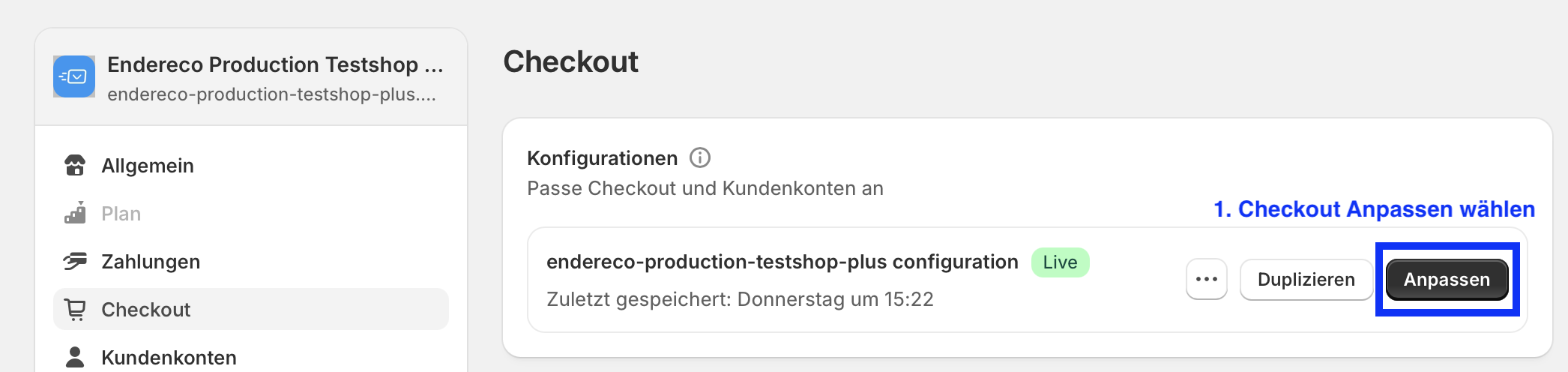
This will take you to the Shopify template editor.
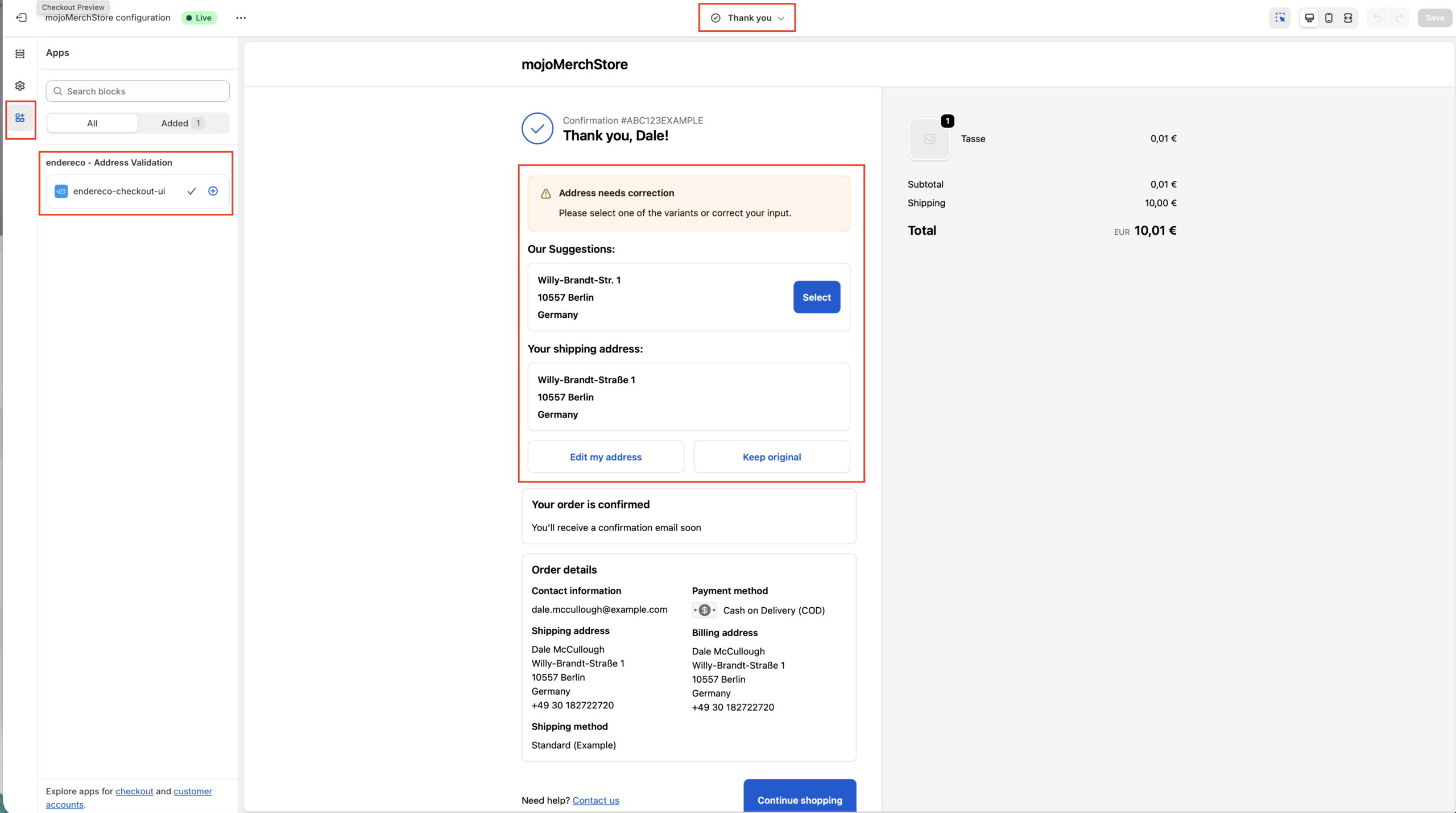
3. select the „Thank You“ page in the checkout template.
4. click on „Apps“ in the left side menu to select the endereco plugin block.
5. add the endereco block on the „Thank You“ page by clicking on the „+“ button.
6. save your setting.
Function 2: Integration of address auto-completion on the checkout page (for Shopify PLUS customers)
Simply follow the steps below:
1. click on „Set up address autocomplete“.
2. you should now land on the settings page with the option „Checkout“ - select the item „Customize“ there.
3. now select the gear symbol in the left-hand menu and scroll all the way down in the area to the right of it.
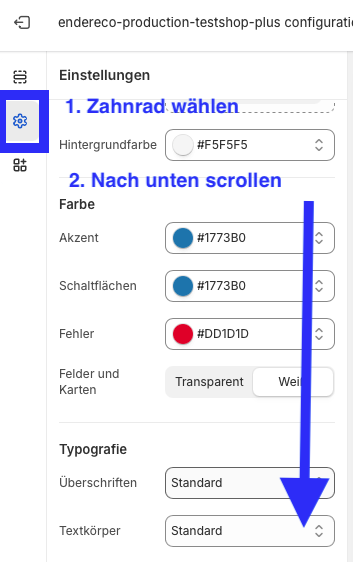
4. now you can activate endereco as the data provider for autocomplete and save the settings if you have a Plus Shop.
NoteIf you do not use a Plus Shop, you can only activate or deactivate Google Autocomplete. The address check will then also correct any addresses suggested by Google to correct postal addresses.
Updating your privacy policy #
For the legally compliant operation of your online store, your customers must be able to find out about the sub-processors used to process personal data.
We have provided you with a suggested text that you can insert into your webshop's privacy policy. Please note that this may need to be adapted depending on the configured service or checked by your legal contact.
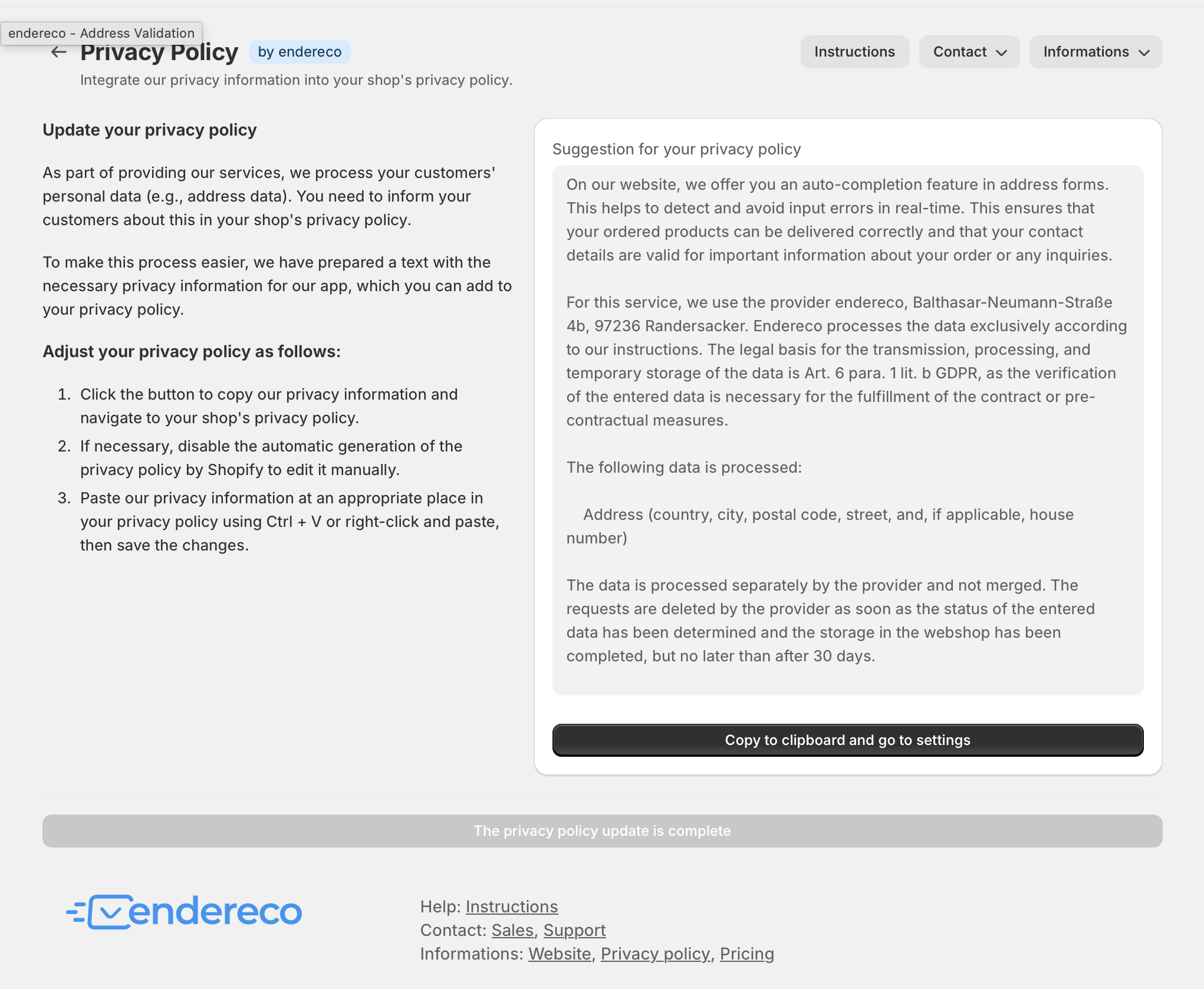
Your setup is now complete!

Ready! Function test #
Now open your webshop, add a product to the shopping cart and go to the address entry page.
Shopify Plus customers: #
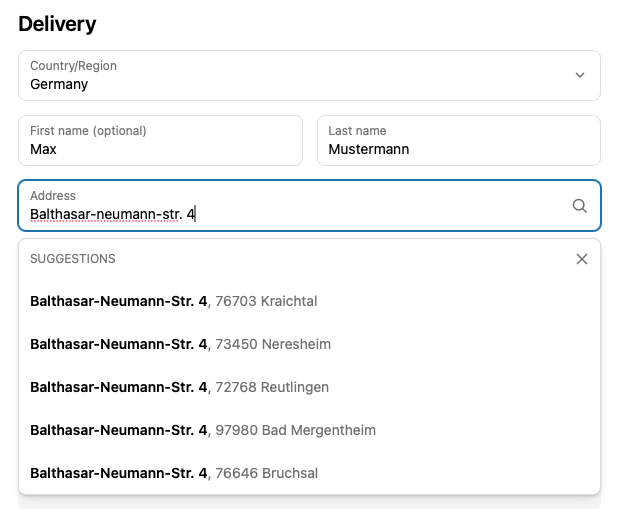
If you now start to enter an address as a delivery address or as a billing address, suggestions from endereco should now appear. There should no longer be a "Powered by Google" visible. The street names should be abbreviated correctly, as officially specified, and correspond to the format of the national postal companies.
All Shopify customers: #
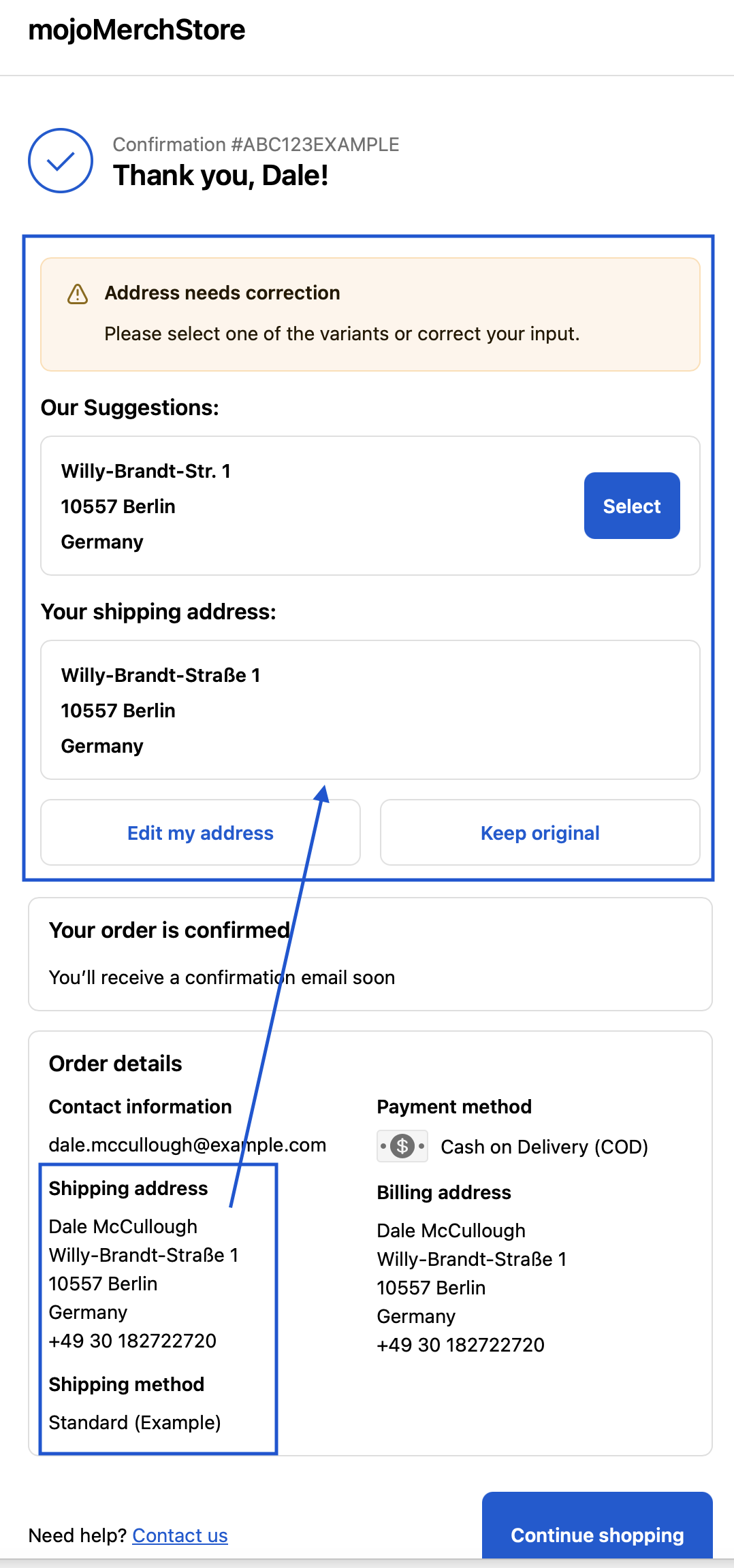
If your customer now places an order, the customer address is checked when the order is completed.
endereco automatically checks and corrects the delivery address entered by the customer.
There are 4 possible scenarios:
- Address correct -> Customer is informed about the successful check
- Address has no errors and has been automatically adjusted -> Customer can check the address and correct it if necessary
- Address with suggestion -> Customer can select and confirm address suggestion
- Address not found -> Customer can edit or confirm his address
- House number not found -> Customer can edit or confirm his address
The system also recognizes Packstations and post offices in Germany and can check them.
At post offices, a valid postal number is also checked.
Usage statistics #
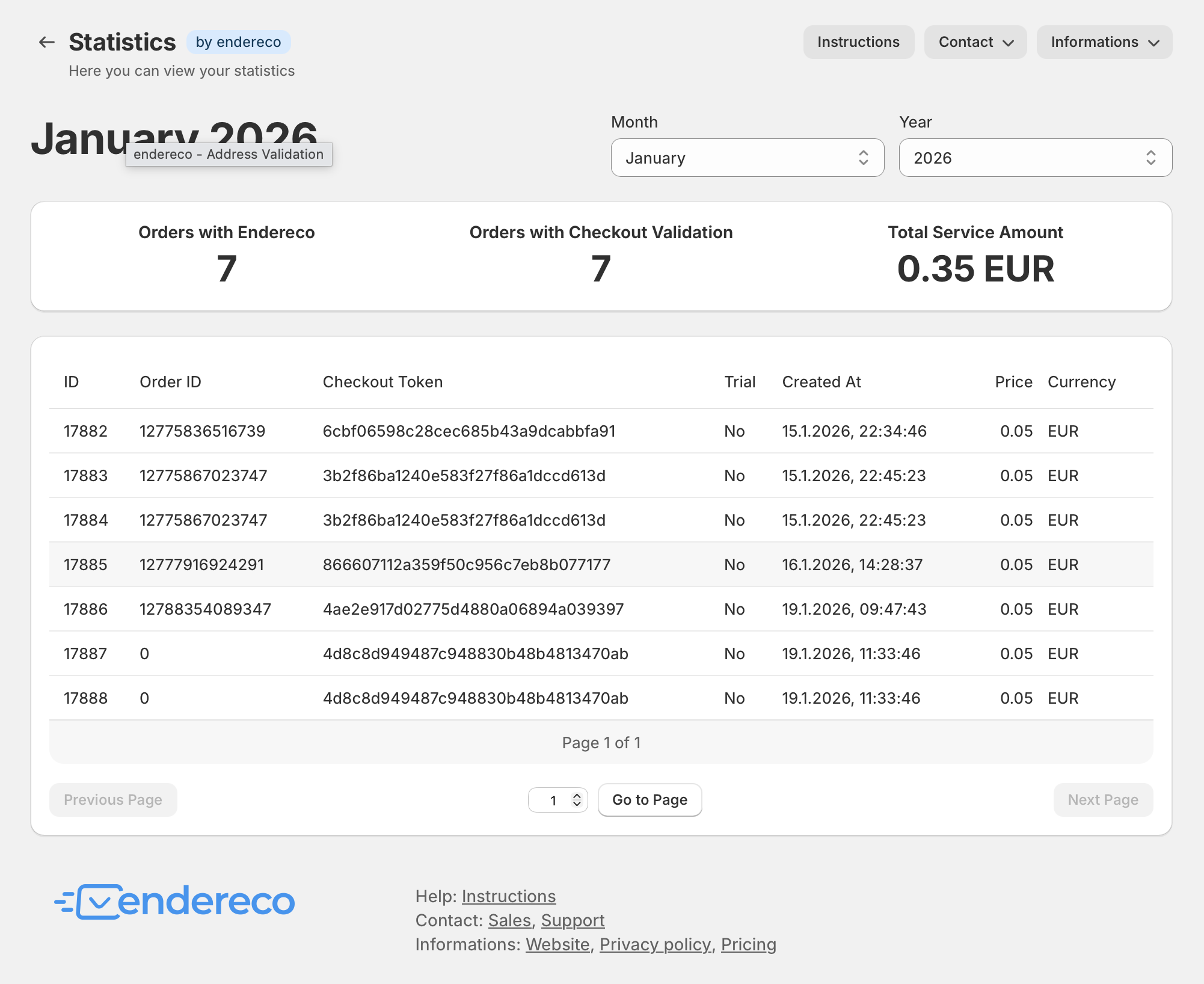
The ‚Statistics‘ tab in the store backend of the endereco app gives you an overview of the use of our services and the costs incurred in the current billing period at all times.
If you are still in the test phase, the costs should be 0.00 euros.
Any questions? #
We are constantly updating these instructions and adapting them to any changes in the plugin. If you have any questions or ideas for additional functions, please feel free to contact us!
- support@endereco.de for our technical support
- info@endereco.de for our commercial support and sales for new customers
Have fun and success with our endereco for Shopify app!


